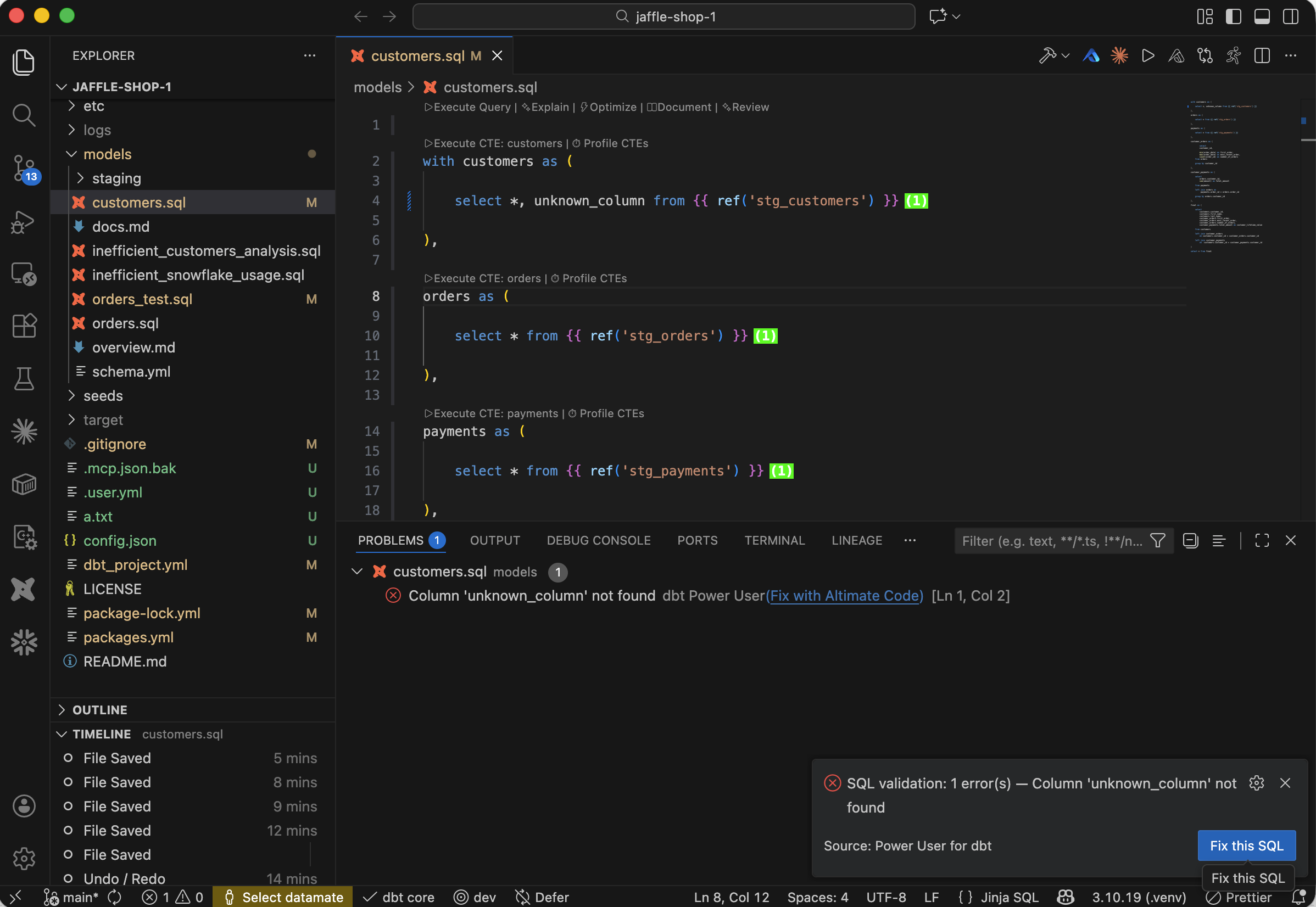
SQL validation
Identify SQL issues like non-existent columns, keyword typos, extra parentheses easily
Following SQL checks are available:
| Check | Details |
|---|---|
| Identify non-existent column | If SQL is referencing some columns that don't exist, those columns will be identified as error. |
| Keyword typos | If there are some typos in SQL keywords, those keywords will be flagged |
| Missing or extra parentheses | If there are missed or extra parentheses, that SQL area will be highlighted |
Errors and quick fix
Every error popup raised by Validate SQL includes a Fix with Altimate Code button. Clicking it opens the Altimate Code chat with the model name and raw SQL pre-filled, so you can ask for a fix without restating the problem.
In addition to the SQL checks above, the four pre-execution paths that previously failed silently now each show a descriptive error popup with its own Fix button:
| Path | What you'll see |
|---|---|
| dbt manifest not loaded | dbt manifest not loaded. Run dbt parse… |
| Model not present in manifest | Model X not found in manifest… |
| Parent graph entry missing | Could not find model graph entry… |
SQL compilation failed (broken ref() etc.) |
Unable to compile SQL for model X… |
After Validate SQL writes diagnostics to the Problems panel, an error notification with a Fix this SQL button also appears. The prompt sent to Altimate Code contains the compiled SQL plus the validation errors.
See also: Problems panel quick fix
The Validate SQL errors that land in the Problems panel also get the Fix with Altimate Code quick-fix light-bulb and inline link covered in Troubleshooting → Fix with Altimate Code (any error row).