Optimize SQL with Altimate Code
Optimize with Altimate analyzes a SQL query (or selected snippet) and suggests rewrites for performance — join order, predicate pushdown, redundant scans, unnecessary DISTINCT / ORDER BY, and dialect-specific anti-patterns.
Requires the Datamates extension
Altimate Code features (Explain, Optimize, Change, Translate, Review) open a chat session through the Datamates extension. Make sure Datamates is installed and active before invoking these actions.
Start an optimization
Open a .sql (or .jinja-sql) file. Optionally select the part you want to optimize — otherwise the whole file is used. You can trigger Optimize from two places.
1. Right-click → Altimate Code → Optimize with Altimate
Open the right-click context menu on the file, expand the Altimate Code submenu, and choose Optimize with Altimate.
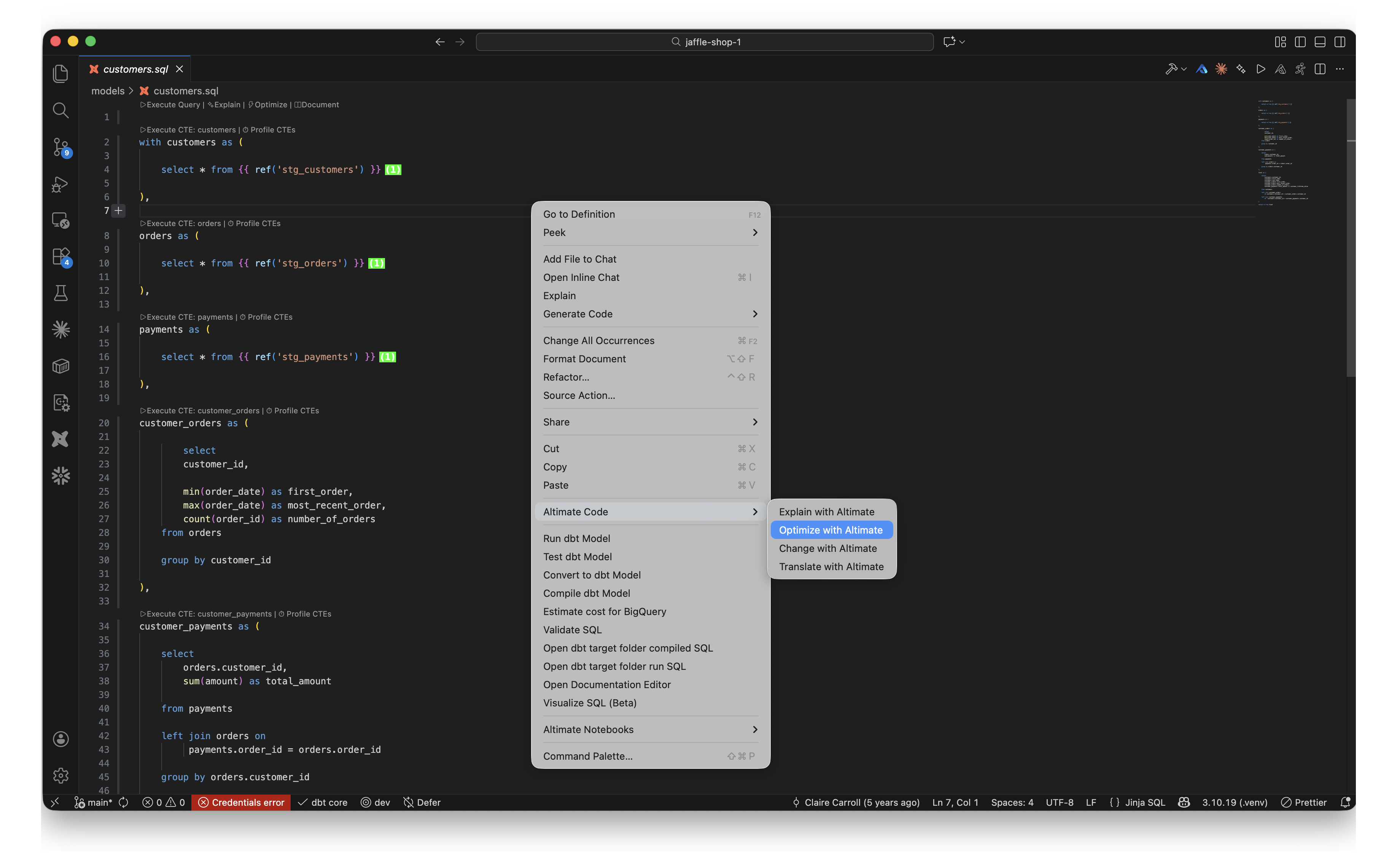
Where to find it
Optimize with Altimate is the second entry in the Altimate Code submenu (after Explain) and only appears on .sql / .jinja-sql files.
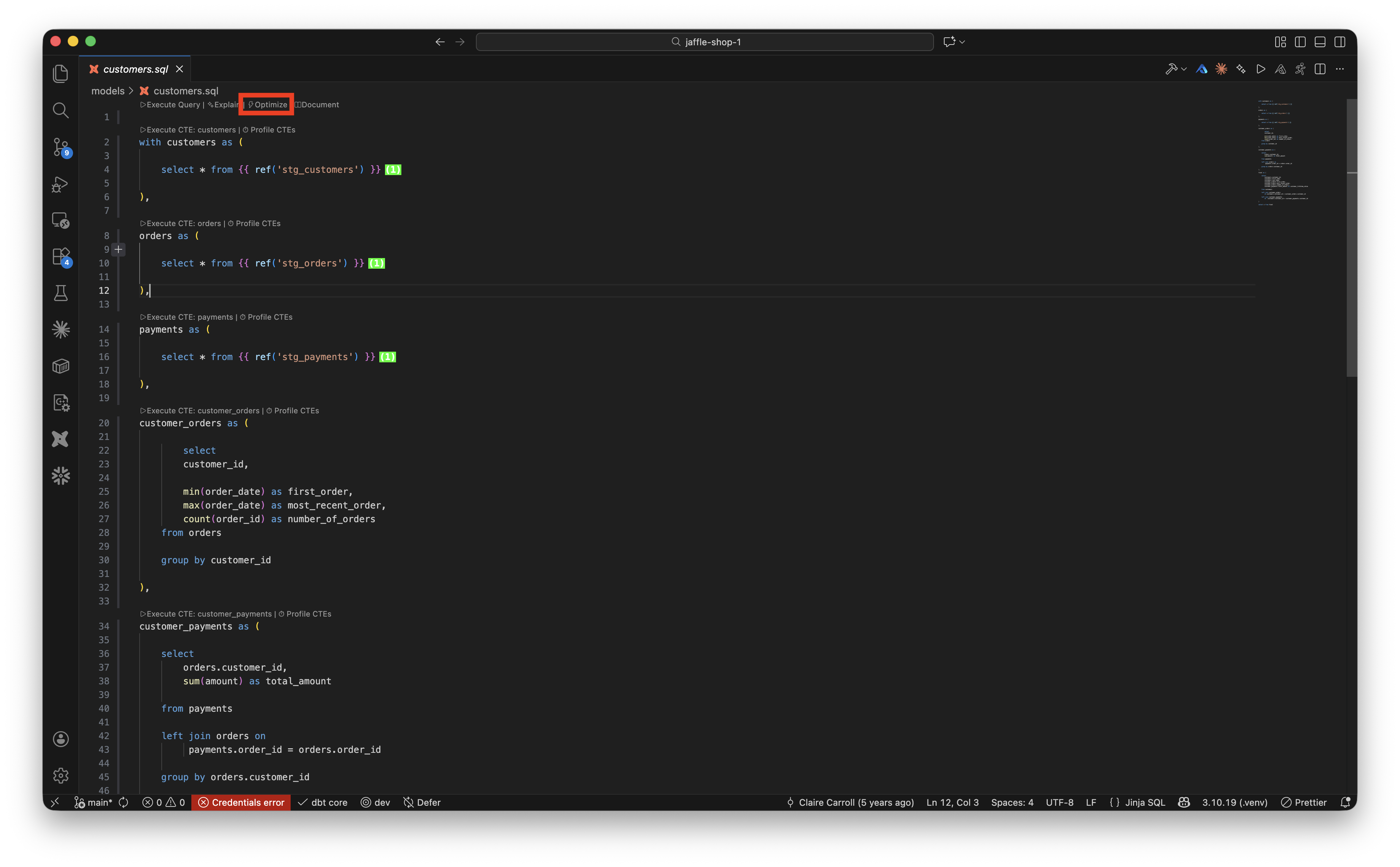
2. Code lens at the top of the file
A code-lens row appears above every SQL file. Click ⚡ Optimize to run the same flow.
Review the suggestions in the Altimate Code chat panel
Altimate Code opens in a side panel and returns a rewritten query alongside an explanation of why each change should help. You can ask follow-up questions (e.g. "show me the EXPLAIN plan for the rewrite", or "keep the CTE structure but only fix the join order") in the input box at the bottom.
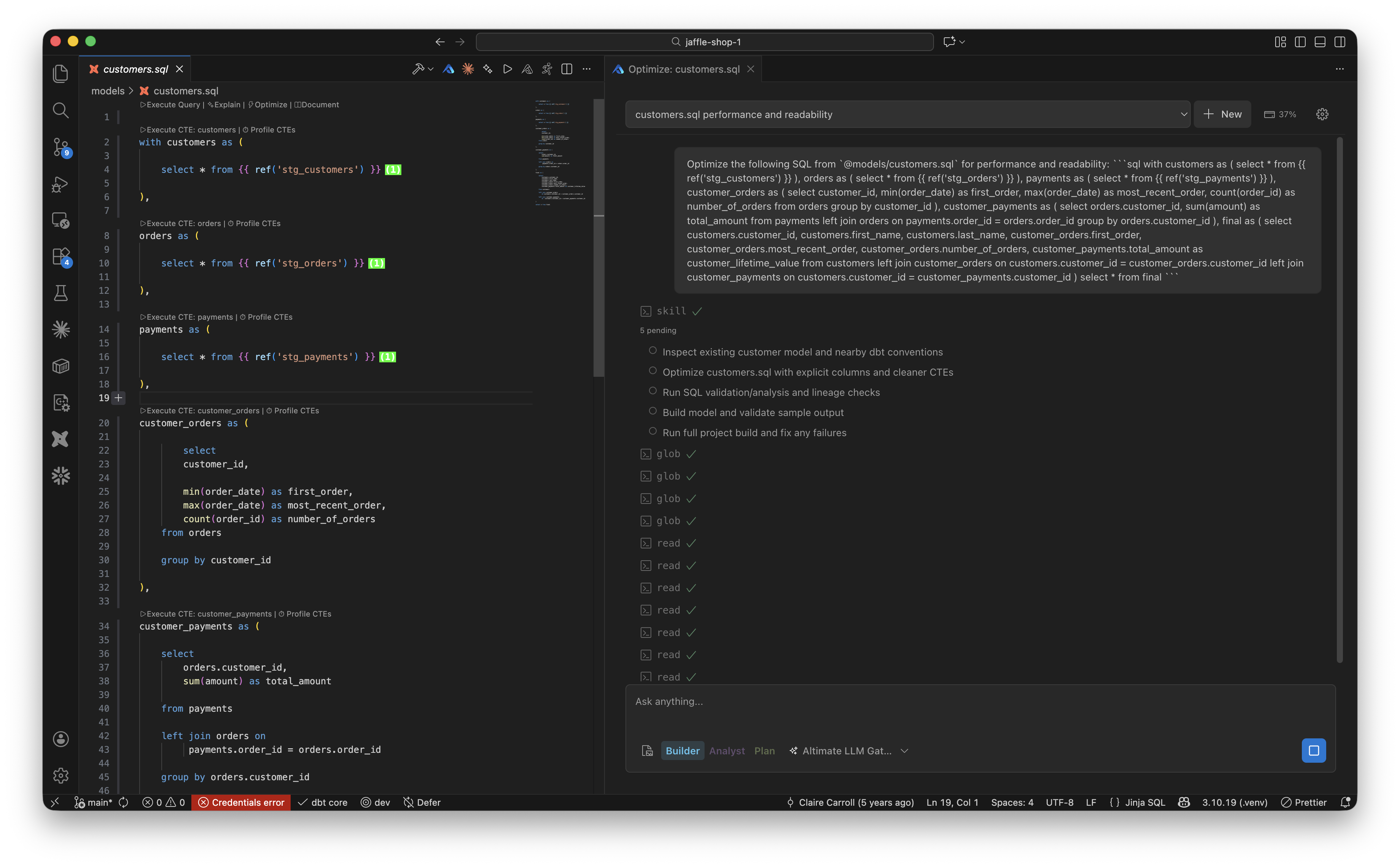
Please provide feedback on the suggestions using thumbs up / down buttons. Your feedback helps us improve this functionality.
This feature requires an API key. You can get it by signing up for free at www.altimate.ai